
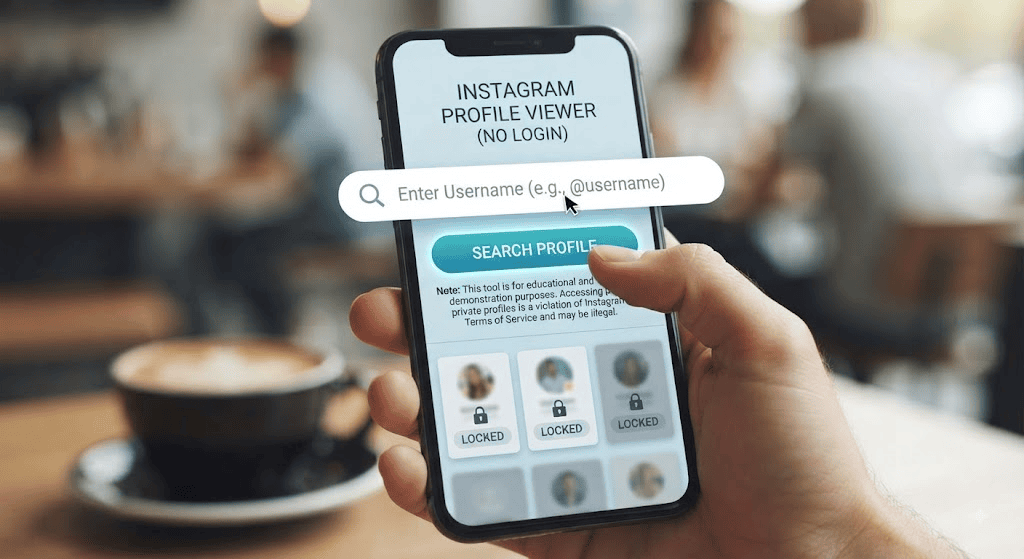
Instagram Profile Viewer Without Login You want to check an Instagram profile — maybe a business, a public figure, or someone you don’t follow — but you don’t want to create an account, log into an existing one, or leave any trace that you looked. That’s a common problem: Instagram is built to push you toward signing in for almost everything, and the moment you view a Story or visit a profile while logged in, the platform can log that activity. The good news is there are legitimate ways to browse public Instagram content without logging in, and there are also third-party “Instagram profile viewer” tools that promise to go further. This guide breaks down exactly what works, what’s risky, and how to use an Instagram profile viewer without login the smart and safe way.
What Is an Instagram Profile Viewer?
An Instagram profile viewer is a web tool, app, or browser trick that lets you look at Instagram content — profile pictures, bios, posts, and sometimes Stories or Reels — without opening the official Instagram app or signing into an account. Instead of logging in, you type a username or paste a profile link into the tool, and it pulls back whatever information is publicly available on that account.
It’s important to understand that these tools don’t unlock anything Instagram itself hides. They only display public data: information any visitor could see if they opened that profile in a browser. If an account is set to private, no legitimate viewer can show you its posts, followers, or Stories, because that content simply isn’t available outside the approved follower list.
Why People Search for “Instagram Profile Viewer Without Login”
The demand for no-login viewing tools comes from a few recurring situations:
- Avoiding another social account: Not everyone wants to hand over a phone number, email, and browsing habits just to look at a few photos.
- Research and verification: Recruiters, journalists, small business owners, and shoppers often want to check a public Instagram presence before trusting a brand or person.
- Privacy protection: Logged-in users know Instagram tracks views, suggests content based on activity, and can show your username in a Story’s viewer list. Browsing without logging in avoids that footprint.
- Convenience: Some people simply don’t want to remember another password or manage app notifications for an account they’ll rarely use.
These are reasonable, low-risk motivations, and they’re the ones this guide focuses on. Using a viewer to repeatedly monitor a private individual, bypass someone’s privacy settings, or track a person without their knowledge crosses into surveillance territory — a use case we’ll address directly later on.
Can You Actually View Instagram Without an Account?
Yes — but only for public content. Instagram has tightened this over the years, and today the platform frequently prompts even casual visitors to log in after a few page views. Still, several legitimate paths remain open:
- Instagram’s own web version: Public profiles are sometimes viewable directly through a browser without a forced login, especially on a first visit.
- Search engine caches: Google and Bing occasionally index public Instagram profile pages and posts, showing snippets without requiring a click into Instagram itself.
- Third-party viewer tools: Independent websites are built specifically to fetch and display public Instagram data through Instagram’s public API endpoints, without asking you to sign in.
Option three is what most people mean when they search for an Instagram profile viewer without login, so it’s worth understanding how these tools actually work. For detailed insights on analyzing public profiles, you can check out pixwox.com.in.
How Instagram Profile Viewer Tools Work
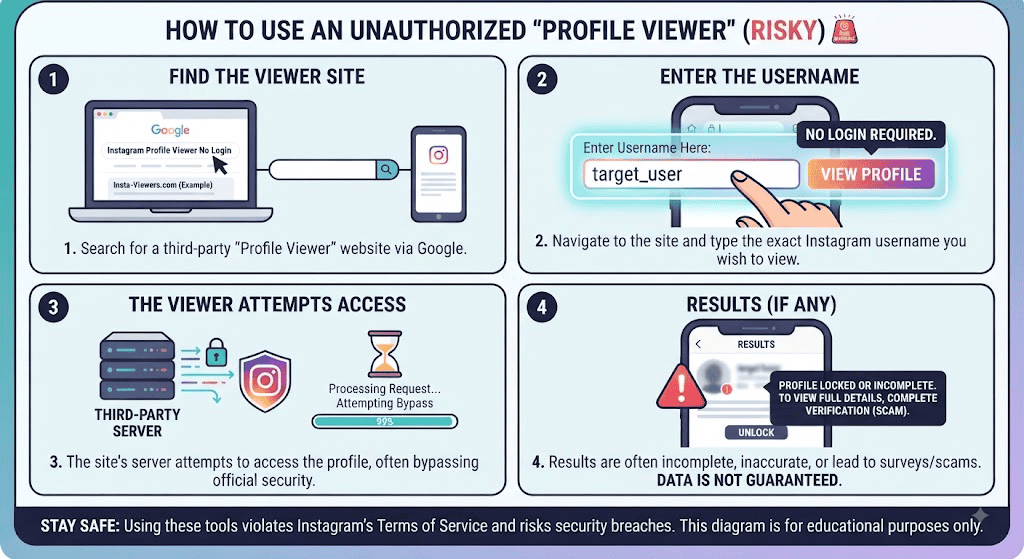
Most viewer tools follow the same basic process:
- You enter a username or paste a profile URL.
- The tool sends a request to Instagram’s publicly accessible data endpoints — the same ones your browser uses when you view a public profile.
- It parses that response and displays the bio, profile picture, follower/following counts, and any public posts or highlights in its own interface.
Because the tool is only reading data Instagram already makes public, it doesn’t need your login credentials, and it doesn’t need the profile owner’s permission. The moment a profile is switched to private, that data stream disappears, and any tool claiming to still show you the content is either lying, using a fake/cached image, or doing something outside Instagram’s rules. If you want to explore more features of anonymous viewing tools, you can visit pixwox.com.in directly.
Are Instagram Profile Viewers Safe? Risks to Know Before You Use One
This is the part most “top 10 Instagram viewer” roundups skip, and it’s the part that actually protects you.
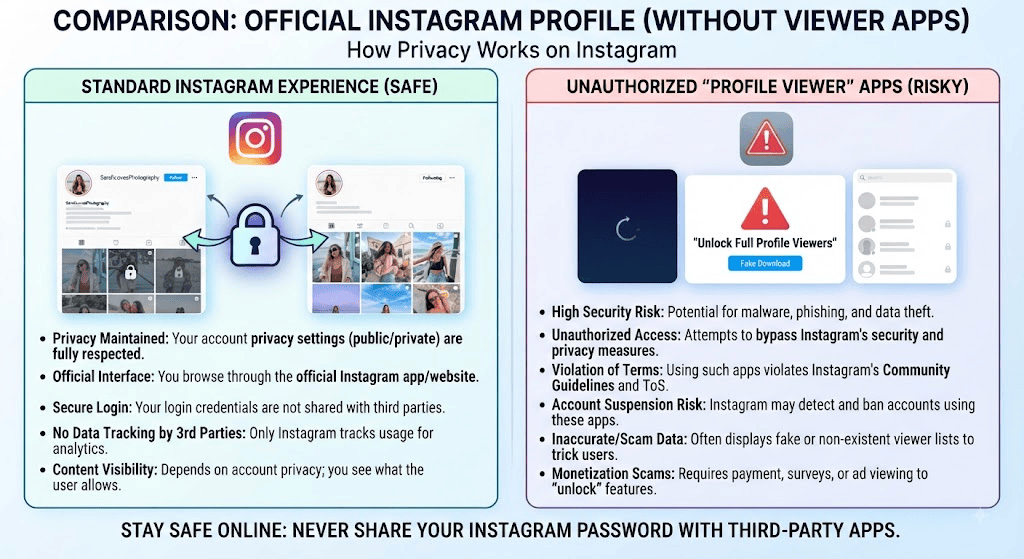
- Fake tools and phishing pages: Some sites marketed as “Instagram profile viewer without login” actually ask you to log in “to continue,” harvesting your real Instagram credentials. Never enter your Instagram username and password into a third-party viewer.
- Malware and intrusive ads: Free viewer sites are often ad-supported, and low-quality ad networks are a common vector for malicious pop-ups, fake download prompts, or browser redirects.
- Data harvesting: Some tools quietly log the usernames you search, building a profile of your interests or targets that gets resold or misused.
- Overstated claims: Tools that promise to show private profiles, hidden followers, or “who viewed your profile” are technically impossible, since Instagram doesn’t expose that data through any public channel. If a tool claims it can, treat that as a red flag rather than a feature.
- Terms of Service risk: Scraping or automating access to Instagram data — even public data — can violate Instagram’s Terms of Use, which is a risk for the tool operator more than the casual viewer, but it also means these services can disappear overnight.
If you decide to use a third-party viewer, stick to well-known, ad-light tools, never enter your real Instagram password anywhere except Instagram’s own app or site, and avoid downloading anything a “viewer” tool asks you to install.
Public vs. Private Profiles: What You Can (and Can’t) Legally See
This distinction matters more than any tool feature:
- Public profiles are, by definition, visible to anyone — logged in or not. Viewing them through a browser, a viewer tool, or the Instagram app is not a privacy violation, because the account owner has chosen that visibility.
- Private profiles restrict content to approved followers only. No legitimate Instagram profile viewer without login can bypass this. Any service claiming otherwise is either a scam or is attempting something Instagram explicitly prohibits, and using it can expose you to the security risks covered above.
If someone has protected their account, the respectful and safe assumption is that they don’t want strangers viewing their content — full stop.
Step-by-Step: How to View a Public Instagram Profile Without Logging In
- Get the exact username or profile link of the account you want to check.
- Choose a reputable viewer tool or try Instagram’s own web address first, since it sometimes displays public profiles without forcing a login.
- Enter the username into the search field, not the profile URL’s full path, unless the tool specifically asks for a link.
- Review what loads. For a public account, you should see the bio, profile photo, and a grid of recent posts. For a private account, you’ll typically see only the bio and photo — nothing else, because that’s all Instagram makes available.
- Avoid entering personal information. A legitimate viewer never needs your Instagram password, phone number, or payment details to show you public content.
- Close the tab when finished. Since no login was involved, there’s nothing to log out of, and no session is left behind on that device.
Instagram’s Official Rules on Anonymous Viewing
Instagram, owned by Meta, doesn’t officially endorse third-party “viewer” tools. Its own platform is designed around signed-in usage, and its Terms of Use restrict scraping or automated data collection by outside services. That means:
- Instagram itself has no built-in “view without login” feature beyond occasionally showing a public profile preview to first-time visitors.
- There is no official “who viewed my profile” feature, and no legitimate tool — viewer or otherwise — can reveal this, regardless of what its marketing claims.
- Automated or bulk scraping of Instagram data by third-party sites operates outside Instagram’s rules, which is why these tools can be shut down or blocked without warning.
Knowing this helps you evaluate any Instagram profile viewer with realistic expectations, rather than trusting marketing claims that go beyond what’s technically possible. For further details on platform policies, you can visit The Verge or TechCrunch.
Privacy and Ethics: Respecting Consent When Viewing Profiles
Being able to view a public profile anonymously is very different from using a tool to monitor someone without their knowledge or consent. A few guidelines worth following:
- Only use viewer tools for public accounts and public information.
- Don’t use viewing tools to repeatedly track a specific person’s activity, especially an ex-partner, coworker, or someone who has blocked or muted you — that pattern can cross into harassment or stalking, both of which carry real legal and personal consequences.
- If you need to research someone for a legitimate reason (hiring, safety, journalism), stick to information they’ve made public and consider whether reaching out directly is more appropriate.
- Remember that “no login required” does not mean “no consequences.” Respecting the account owner’s privacy settings is still the right call, even when a workaround technically exists.
Alternatives to Third-Party Viewer Tools
If you’re cautious about third-party sites — which is reasonable — a few alternatives exist:
- Ask a friend who follows the account to share a screenshot, if it’s a mutual connection.
- Use Instagram’s official app with a secondary or anonymous-style account if you’ll need to check profiles regularly and want more reliability than a scraping tool can offer.
- Search engines, which sometimes surface a public Instagram profile’s bio and recent post thumbnails directly in search results.
Conclusion
An Instagram profile viewer without login solves a real, common problem: wanting to check public Instagram content without creating an account or leaving a digital footprint. Legitimate tools can do this safely by pulling only publicly available data — but they can’t and shouldn’t bypass private accounts, and not every “viewer” site marketed online is trustworthy. Stick to well-reviewed tools, never share your real Instagram login with a third-party site, keep your use limited to public profiles, and treat any tool that promises to unlock private content or hidden activity as a warning sign rather than a feature. Used thoughtfully, viewing public Instagram profiles without logging in can be a fast, private, and perfectly reasonable way to browse the platform on your own terms.
FAQs
1. Is it legal to use an Instagram profile viewer without login?
Viewing public Instagram content through a browser or a viewer tool isn’t illegal, since that information is already public. Using tools to attempt to access private accounts, or to harass or stalk someone, can carry legal consequences depending on your jurisdiction.
2. Can someone tell if I viewed their Instagram profile without logging in?
No. Instagram doesn’t have a “profile visitors” feature, and viewing a public profile without logging in leaves no notification for the account owner. The one exception is Instagram Stories viewed through a logged-in account, which does show your username in the viewer list.
3. Can an Instagram profile viewer show me a private account’s posts?
No legitimate tool can do this. Private accounts restrict their content to approved followers only, and any service claiming to bypass that is either misleading you or attempting something that violates Instagram’s rules and puts your own security at risk.
4. Are free Instagram profile viewer websites safe to use?
Some are safe if they only request a username and never ask for your Instagram password or personal details. Be cautious of sites with excessive ads, download prompts, or login requests — those are common signs of a scam or malware risk.
5. What’s the difference between an Instagram profile viewer and just searching on Google?
A dedicated viewer tool pulls live data directly from Instagram’s public endpoints, so it usually shows more complete and current information — full bio, post grid, and highlights. A Google search may only show cached snippets, which can be outdated or incomplete.