
Instagram profile pictures are usually displayed as small circular images, making it difficult to recognize faces, read logos, or see important details. Whether you want to check a friend’s profile photo, identify a business account, or examine your own display picture, viewing the image in a larger format can be helpful.
The good news is that there are several ways to view Instagram DP in full size using your smartphone, computer, or a browser-based profile picture viewer. You do not necessarily need to install an additional application or create another Instagram account.
However, there is an important difference between enlarging a profile picture and retrieving its highest available image quality. Instagram may provide different image sizes depending on the account, device, and available access methods.
In this guide, you will learn seven practical methods, how to save your own or publicly accessible profile pictures, what image quality to expect, and which privacy precautions you should follow in 2026.
What Does View Instagram DP in Full Size Mean?
DP stands for Display Picture. On Instagram, it refers to the profile photograph or image displayed next to a person’s username.
When someone uploads a profile photo, Instagram processes and displays it in a circular format. The image may look relatively small in comments, search results, messages, and profile headers.
Viewing an Instagram DP in full size means opening a larger version of the available profile image so that you can examine its details more clearly.
For example, you may want to:
- Recognize a person in a small profile photograph.
- Read a business logo more easily.
- Examine the colors and details of a brand image.
- Check whether two accounts use similar profile pictures.
- View your own profile photograph before updating it.
- Keep a permitted personal reference copy of an image.
It is important to understand that full size does not always mean the original camera photograph. Instagram processes uploaded images, and the largest available version may still be compressed or resized.
Why Is an Instagram Profile Picture So Small?
Instagram uses circular profile images to maintain a consistent appearance across its platform.
The same profile picture may appear in several places, including:
- Your Instagram profile page.
- Comments and conversations.
- Search results.
- Followers and following lists.
- Notifications.
- Other profile-related sections.
A smaller image helps the platform maintain a clean interface and load profile information efficiently, especially on mobile devices.
There are three common reasons why an Instagram DP may appear unclear.
1. Circular Image Cropping
Instagram displays profile pictures inside a circular frame. This can hide parts of the original square photograph, particularly when the subject is positioned near the edges.
2. Image Compression
Instagram processes uploaded images to optimize storage and loading performance. Compression can affect fine details, especially when the original image is already small.
3. Limited Display Space
A profile photograph appears much smaller than an ordinary Instagram post. Even a high-quality image can look unclear when reduced to a tiny circle.
Opening the available image separately can make it easier to examine, although it cannot restore details that were lost during compression.
7 Ways to View Instagram DP in Full Size
There are several methods you can try depending on your device and the available profile information.
1. Use Instagram’s Built-In Profile Picture View
Before visiting an external website, try Instagram’s own profile picture viewing feature.
Depending on your app version, account settings, and the profile owner’s settings, tapping a profile picture may open an enlarged preview.
Follow these steps:
- Open the Instagram application.
- Search for the account you want to view.
- Visit its profile page.
- Tap the profile picture.
- If an expanded preview is available, examine the image.
The exact experience can differ between accounts and app versions. Some profiles may show a Story ring or other profile interactions instead.
Why use this method?
It is the most direct option because you remain inside Instagram. You do not need to provide your username or password to another website.
2. Use an Online Instagram DP Viewer
A browser-based Instagram DP viewer can be a convenient option when you want to open a profile photograph separately.
These services generally allow visitors to enter an Instagram username and retrieve an available profile image.
Here is the general process:
- Open a reputable Instagram profile picture viewer.
- Find its username search field.
- Enter the correct Instagram username.
- Remove the @ symbol if the website does not accept it.
- Start the search.
- Check the matching profile information.
- Open the available profile picture in a larger view.
Some services may also provide an option to save the image.
However, not every online viewer supports every Instagram account. Availability depends on Instagram’s current systems and the service’s technical capabilities.
Avoid websites that request your Instagram password, authentication code, or unnecessary personal information.
3. View Instagram DP in Full Size on Android
Android users can use a regular mobile browser to access available profile picture viewing options.
You do not always need to install a dedicated application.
Follow these instructions:
- Open Chrome or another trusted browser.
- Search for the Instagram account you want to check.
- Copy its correct username.
- Open a reputable online profile picture viewer.
- Enter the username in the search field.
- Select the matching account if results are available.
- Open the profile photograph.
- Use the browser’s image-saving option if downloading is supported and you have a legitimate reason.
If the website displays an image in a separate tab, you may be able to press and hold the image and select the available save option.
The menu wording can differ between Android manufacturers and browser versions.
Helpful tip: Use a stable internet connection and check the username carefully. Similar usernames can lead to completely different accounts.
4. View Instagram DP in Full Size on iPhone
iPhone users can also use Safari or another compatible browser to examine an available profile image.
You can follow these steps:
- Open Safari.
- Search for the Instagram username.
- Visit the account or open a supported profile picture viewer.
- Enter the username if required.
- Select the correct profile.
- Open the available image.
- If permitted, use the image menu to save it to Photos.
If the image opens in a separate browser tab, you may be able to press and hold it and select Add to Photos or Save to Photos, depending on the browser interface.
You can then open the Photos application to examine the saved image.
Remember that the final image quality depends on the version Instagram makes available. An iPhone display cannot create image detail that isn’t in the source file.
5. View Instagram DP on a Desktop or Laptop
A desktop computer provides more screen space, making it easier to examine profile photographs.
You can use Chrome, Edge, Firefox, or another modern browser.
Follow this process:
- Open your desktop browser.
- Visit Instagram’s website.
- Search for the public profile you want to examine.
- Open the correct account.
- Click the profile photograph if an expanded preview is available.
- If supported, open the image separately using the browser’s image options.
- Examine the available image at a larger display size.
Some users with technical knowledge may also use browser developer tools to inspect the image element and locate an image address that the page has loaded.
However, Instagram frequently changes its website structure. The image element, address, and available image variants may differ. This method is therefore not guaranteed to work for every profile.
Do not attempt to access restricted account information or use scripts to bypass Instagram’s security controls.
6. Use Google Images to Find a Public Profile Photograph
Google Images can sometimes help you locate publicly indexed profile photographs.
This method is useful when you already know the person’s public username or business name.
Try the following:
- Open Google Images.
- Enter the Instagram username.
- Add the word Instagram to your search.
- Review the available image results.
- Open a relevant result.
- Visit the source when available.
For example, you could search for a business username followed by Instagram profile picture.
There are some limitations. Google does not index every Instagram profile photograph, and the displayed results may be outdated or lead to unavailable pages.
Google Images is therefore an alternative discovery method rather than a guaranteed way to retrieve the largest available DP.
7. Check Your Own Instagram Profile Picture
If your goal is to view your own Instagram DP in full size, you have another useful option.
Start by checking the original photograph in your phone’s gallery or computer.
If you still have the original file, you can open it directly without relying on Instagram’s compressed version.
If you no longer have it, you can check the available profile image through Instagram’s own interface or an appropriate image viewer.
For better results when updating your profile:
- Start with a high-quality square image.
- Keep the main subject near the center.
- Avoid placing important text close to the edges.
- Use sufficient lighting.
- Check how the image appears inside a circular crop.
- Keep a backup of the original photograph.
This approach is particularly useful for creators, professionals, and businesses that want their profile images to look clear and recognizable.
How to Download an Instagram DP in HD
Viewing and downloading are two different activities.
A profile picture viewer may allow you to open an image without providing a download option. Other services may offer a separate save feature.
If you have permission to save an image, follow these general instructions:
- Find the relevant Instagram profile.
- Open the available profile photograph.
- Check whether a larger image version is provided.
- Open the image separately if the browser supports it.
- Select the save or download option.
- Choose a suitable destination on your device.
Before saving, understand that HD does not necessarily mean original quality.
Instagram may resize and compress images when they are uploaded. A third-party viewer cannot reliably recover the original camera file or restore missing details.
If you need a genuinely high-quality copy of someone else’s photograph, asking the owner to share the original file is the most reliable option.
Instagram DP Viewer Comparison
Different methods serve different purposes. The following table summarizes the main options.
| Method | Best For | Main Limitation |
|---|---|---|
| Instagram app | Quick profile preview | Expansion may vary |
| Online DP viewer | Convenient image lookup | Depends on service availability |
| Android browser | Mobile access | Interface differences |
| iPhone browser | Mobile image viewing | Saving options may vary |
| Desktop browser | Larger display | Some features may be restricted |
| Google Images | Discovering indexed images | Results may be outdated |
| Original image file | Highest available original quality | Requires access to the file |
For occasional viewing, Instagram’s built-in feature is a good starting point. For a larger browser-based preview, a reputable online viewer may be more convenient.
Can You View a Private Instagram DP in Full Size?
This is one of the most common questions about Instagram profile pictures.
Instagram distinguishes between public profile information and private account content.
A private account restricts access to its posts, Stories, and other protected content. However, basic profile information, including the profile picture, can remain publicly visible.
The exact image access and available resolution may vary.
You should not confuse viewing a publicly displayed profile photograph with gaining access to a private account.
A legitimate viewer should not claim to unlock private posts, private Stories, messages, or other restricted information.
If you want to see someone’s private content, send a follow request and wait for the account owner to approve it.
Does Instagram Notify Someone When You View Their DP?
Simply looking at a profile picture is different from interacting with someone’s Story or sending a message.
Instagram does not generally provide a dedicated notification to users simply because someone viewed their profile picture.
However, this should not be interpreted as a guarantee of complete anonymity across the internet.
Third-party websites may collect technical information through their own analytics, cookies, or server logs.
Also remember that Instagram has separate visibility features for Stories and other interactions.
If you want to protect your own privacy, avoid sharing personal information with unfamiliar websites and review their privacy policies before using them.
Why Is an Instagram Profile Picture Blurry?
Sometimes you successfully open a larger image, but it still looks unclear.
This can happen for several reasons.
Low-Quality Original Photograph
If someone uploads a small or blurry photograph, the available profile image may also appear blurry.
Compression
Image compression can remove fine details and affect sharpness.
Incorrect Image Version
Some websites display a smaller thumbnail instead of the largest available image.
Cropping
The original photograph may have been cropped before being uploaded, removing important details.
Internet or Loading Problems
A temporary loading problem may prevent the correct image version from appearing.
How to improve the result: Try opening the profile again, checking the image on a desktop, or using the original photograph if it belongs to you. Avoid expecting an online tool to produce details that are not present in the source image.
Safety and Privacy Tips for Using Instagram DP Viewers
Online profile picture viewers can be convenient, but users should evaluate third-party services carefully.
Follow these basic precautions:
Never share your Instagram password. A website should not need your account password simply to display publicly available profile information.
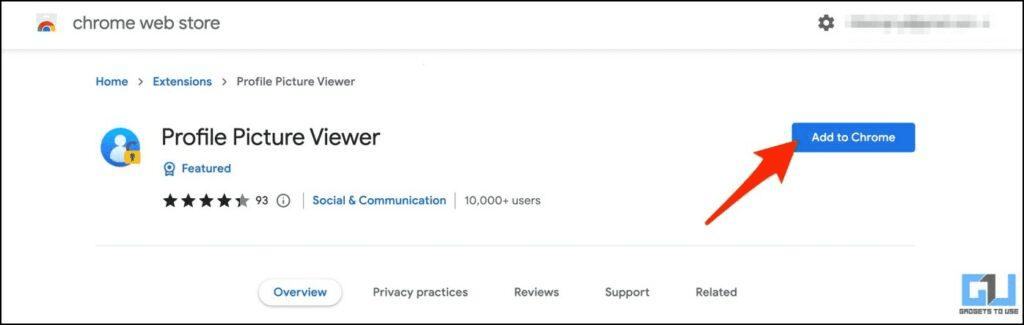
Avoid suspicious downloads. Do not install unknown applications, browser extensions, or software just to view a profile photograph.
Check website security. Look for HTTPS and clear information about the service’s privacy practices.
Avoid exaggerated claims. Be cautious of services promising access to private accounts, hidden photos, or restricted content.
Respect image ownership. Public visibility does not automatically grant permission to reuse or redistribute someone’s photograph.
Protect personal information. Avoid sharing phone numbers, email addresses, authentication codes, or other sensitive details with unfamiliar services.
For additional information, review Meta’s Safety Centre.
Common Problems When Viewing Instagram DP in Full Size
Even when you follow the correct process, you may encounter technical problems.
Here are some common issues and possible solutions.
Username Not Found
Check the spelling of the username. Instagram users can change their handles, and similar names may belong to different accounts.
Profile Picture Does Not Load
Try refreshing the page or opening the profile again. A temporary connection problem or service limitation may be responsible.
Image Appears Too Small
The viewer may be displaying a thumbnail. Check whether a separate image-opening option is available.
Download Option Is Missing
Not every profile picture viewer supports downloading. You can use the browser’s available image-saving options where permitted.
Profile Is Unavailable
The account may have been deleted, deactivated, renamed, restricted, or temporarily unavailable.
Viewer Website Is Not Working
Third-party services depend on external systems that can change. Try Instagram’s own interface or another legitimate method rather than entering personal credentials into an unfamiliar website.
Frequently Asked Questions (FAQs)
1. How can I view Instagram DP in full size?
You can try Instagram’s built-in profile picture preview, a reputable online DP viewer, or a desktop browser. The largest available image depends on Instagram’s current image delivery and the particular account.
2. Can I view Instagram profile pictures without logging in?
Some publicly available profile pictures can be accessed without signing into Instagram. You can try a direct public profile link or a third-party viewer, although availability varies.
3. Can I view an Instagram DP in full size on Android?
Yes. You can use Chrome or another mobile browser to open a supported profile picture viewer, enter the username, and examine the available image. A separate application is not always necessary.
4. Can I view Instagram DP in full size on iPhone?
Yes. Safari and other compatible browsers can be used to access available profile picture previews. If image saving is supported and you have permission, you may also be able to save the picture to Photos.
5. Can I download an Instagram profile picture in HD?
Some viewers provide a download option for the largest image version available. However, HD does not guarantee the original camera quality because Instagram may resize or compress uploaded photographs.
6. Can I see a private Instagram account’s profile picture?
Basic profile information, including a profile picture, may remain publicly visible even when an account is private. However, private posts and Stories remain restricted to approved followers.
7. Does Instagram notify users when someone views their DP?
Instagram does not generally send a dedicated notification simply because someone views a profile picture. Story views and other interactions have separate visibility rules.
8. Why can’t I open an Instagram DP in full size?
Possible reasons include an incorrect username, temporary technical problems, limited image availability, account changes, or restrictions imposed by the third-party viewer.
9. Is an online Instagram DP viewer safe?
Safety depends on the individual website. Choose services with clear privacy information, avoid password requests, and do not install suspicious software or provide authentication codes.
10. Can I make a low-quality Instagram DP clearer?
You can enlarge an image using photo-editing software, but enlargement cannot reliably restore original details that have been lost through compression or poor image quality. The original photograph is the best source.
Conclusion
Viewing an Instagram profile picture in a larger format can help you recognize people, examine business logos, and understand how an account presents itself.
There are several ways to accomplish this, including Instagram’s built-in preview, online profile picture viewers, mobile browsers, desktop browsers, and Google Images.
The best method depends on your device and the availability of the image. If you want a convenient option, start with Instagram’s own profile picture preview and then consider a reputable browser-based viewer when appropriate.
Remember that the largest available image is not necessarily the original photograph. Also, viewing a public profile picture does not give you permission to reuse someone else’s image.
Use these methods responsibly, protect your personal information, and respect the privacy and ownership rights of other Instagram users.
For more Instagram browsing information, explore our guides on Instagram Public Content Viewer and How to View Instagram Without Creating an Account.